


Canva incorporates new Artificial Intelligence functions

Canva has recently introduced new updates and features to its existing AI Assistant. Updates include the launch of its own model, a Creative Operating System and a completely reinvented Visual Suite.
But how can these new features help you create good designs? That is exactly what we explain to you in this post, so it is best that you continue reading.
The new visual suite, a self-designed model with editable layers
Canva’s new Visual Suite seeks to complement the already existing AI chat, which allowed the interface to generate visual content through text prompts, but now expands to design options and incorporation of graphic and photographic elements, becoming «the world’s first AI model trained to understand all the complexity of design.»
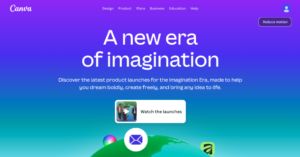
This new design model gives the user new, much more advanced creative possibilities. The movement of text, change of icons or reorganization of the composition of images through editable layers represents a creative advance and generation of content in seconds for the user since it is capable of recognizing and reconstructing existing structures and modifying them piece by piece, layer by layer.
Now AI is integrated into the entire creative flow
From the first draft to the final publication, the new Visual Suite integrates assisted functionalities at every stage of the process. Now you can tag @Canva through comments to help you generate faster: it offers the option to ask you to change fonts, generate titles, color changes and an infinite number of suggestions, alternatives and possibilities based on your design.
In addition, AI goes further, since Canva has integrated essential platforms into its system such as Dropbox or OneDrive, or even text generation models such as ChatGPT, enriching the creative process comprehensively.
Other Canva news that you should know
These additions now allow greater flexibility for the variety of users using Canva around the world. From its new Trend Template Library to the innovative Video 2.0, Canva offers new features that allow you to create content faster with a very professional finish.
-Affinity: Canva has announced that Affinity will be completely free from now on, allowing creatives and companies to make designs, edit photos, work with vectors, layout pages and upload them directly to Canva.
-Brand Kit: Now, once the Brand Kit complete with colors, fonts, tones and visual identity is configured, the AI Canva will be able to generate designs directly following your brand guidelines, showing tips and editable options that will allow the user to maintain full control over their design.
-Canva Ads: This resource of the new operating system is one of the most powerful updates since it allows creatives to create campaigns and publish directly in Meta, without having to leave the platform. Canva Ads will allow you to discover trends, and recognize the visual identity of your brand while AI Canva generates various ad designs that the user can customize.
-Integrations: In addition to the integration with Meta and Affinity, Canva Business users will now also be able to enjoy integrations with Drive, Dropbox and OneDrive in the Team Context function, thus allowing faster and more effective workflows. Canva’s AI is also now available on other platforms such as ChatGPT, Claude or Gemini.
-IA Features: Other updates worth mentioning within the design in Canva are, for example, the new Magic Background functions, which help generate adapted backgrounds instantly; the 3D Content Builder, which includes a library of unique shapes and the ability to add depth to flat elements; or the Style Clone, which instantly unifies elements to reinforce the fluidity of work.
-Email Design: Another of the powerful updates of the new system is the Email Design that can be exported to any platform, and that allows you to design more attractive and visual campaigns. The AI will help the user with suggestions for incorporating CTAs, images, colors and other elements adjusting to the brand’s industry, making it easier to create email marketing much more effectively.
-Video: Canva has introduced Video 2.0, Video Magico and an extensive library of templates inspired by the most popular social media trends for the rapid generation of video content in a professional and simplified way, without the need for complex editing tools.
-Spreadsheets: Canva has completely reinvented its ecosystem with the introduction of Canva Create, thus connecting Canva spreadsheets and Canva Programming. Canva Forms for websites now go directly to Spreadsheets, where the user will be able to collect and work with data interactively, creating a more fluid and autonomous experience.
Source: hoymarketing.com